Payments (platform)
What it does
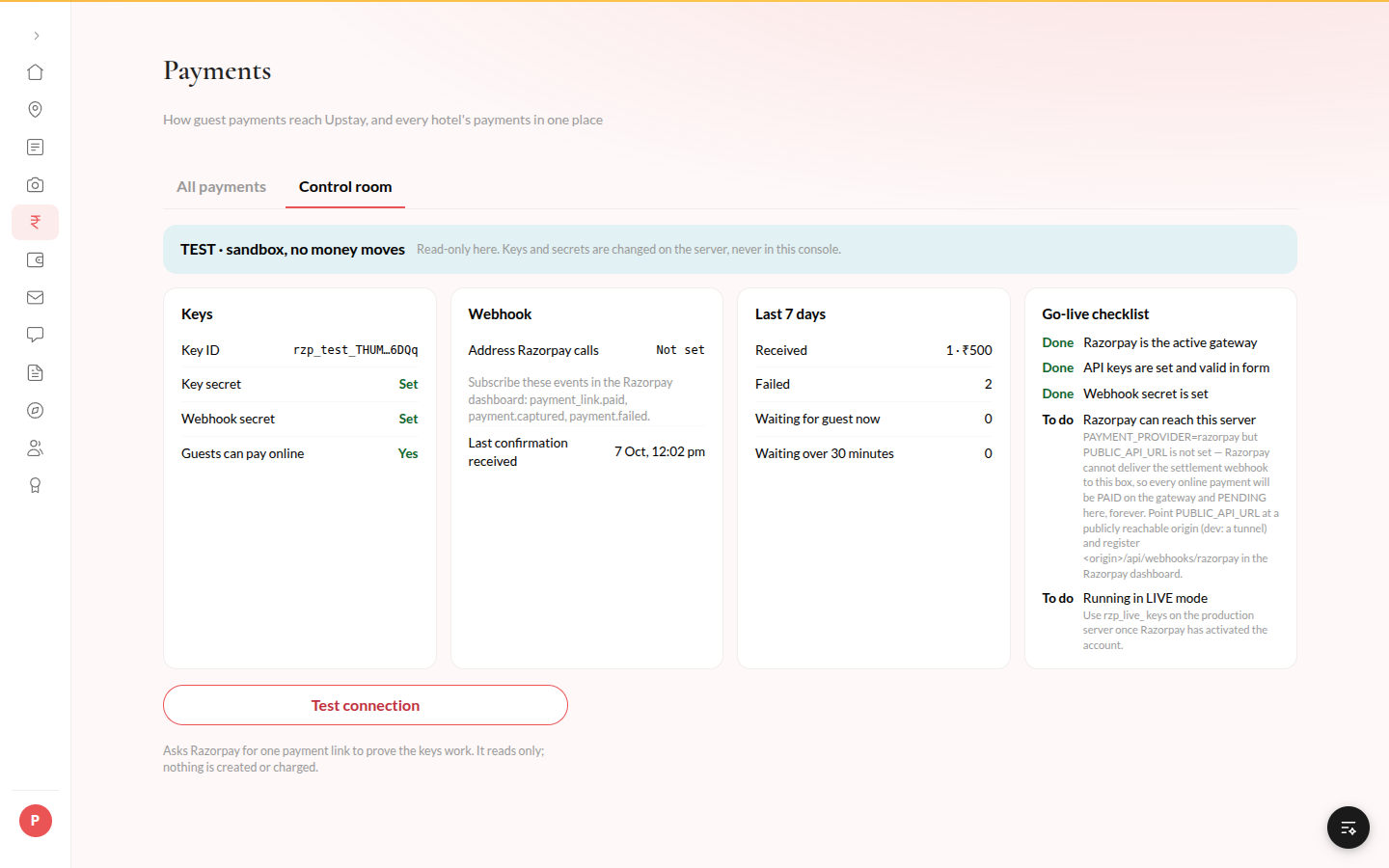
Section titled “What it does”Payments shows every payment on every hotel in one list, and how online payments reach Upstay. The All payments tab lets you filter every payment across hotels and, for a payment still waiting, ask the payment provider what happened. The Control room tab shows whether the payment connection is in sandbox or real-money mode and whether it is set up correctly.
Who can use it
Section titled “Who can use it”Upstay operators who can see the Money area.
Where to find it
Section titled “Where to find it”Payments under Money in the rail.
How to check the payment connection
Section titled “How to check the payment connection”- Open Payments, then the Control room tab.
- Read the banner at the top: TEST · sandbox, no money moves, LIVE · real money or Not connected to Razorpay.
- Check the Go-live checklist. Anything marked To do says what is missing.
- Click Test connection to confirm the keys work. This only reads from the provider; nothing is created or charged.
How to find a payment
Section titled “How to find a payment”- Open the All payments tab.
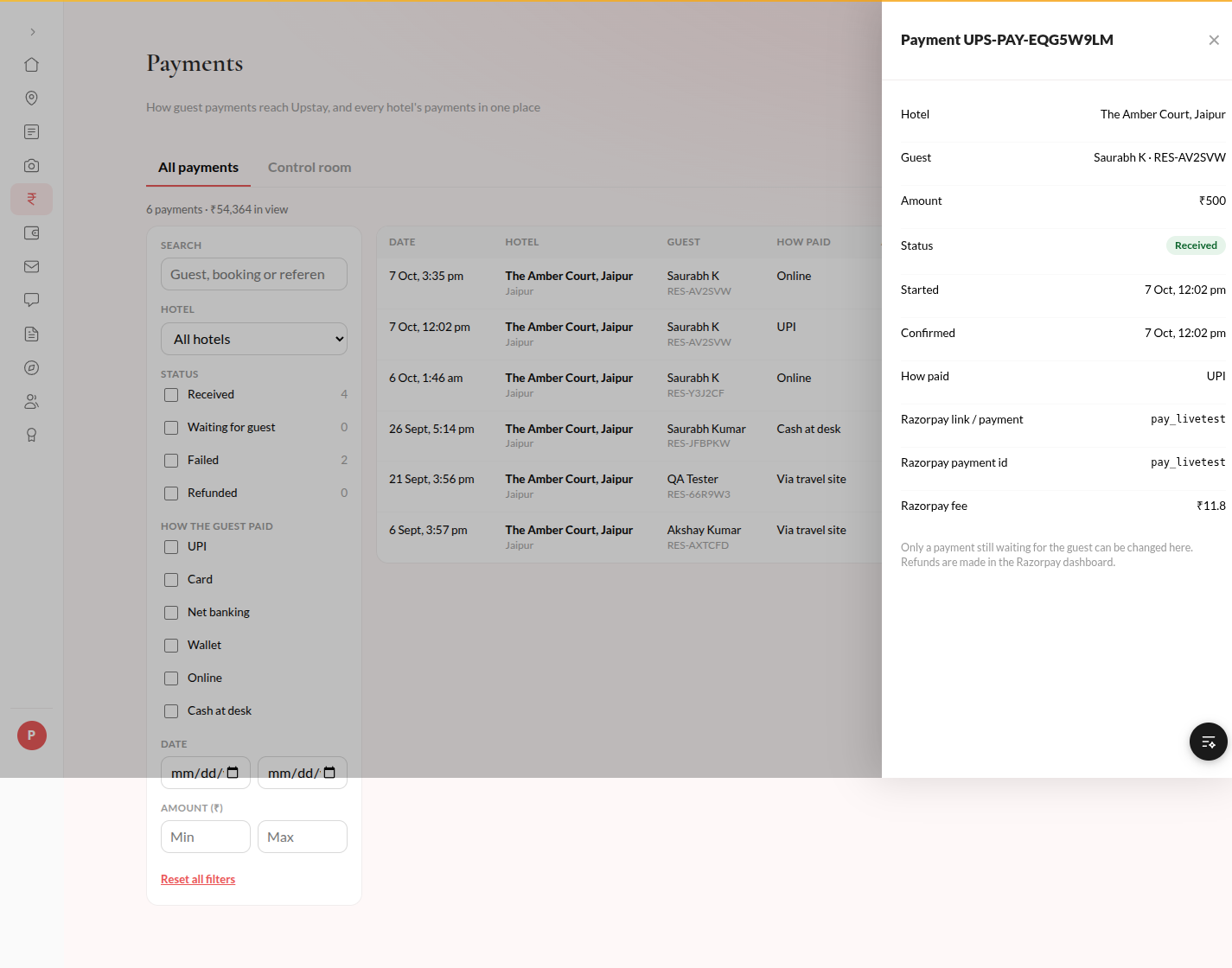
- Type in Search guest, booking code, UPS-PAY reference or Razorpay id.
- Pick All, Received, Waiting, Failed or Refunded, and narrow it by hotel, method, date or amount.
- Click a payment to open its details.
How to look into a payment that is stuck
Section titled “How to look into a payment that is stuck”- Open the payment.
- Click Check with Razorpay. If the guest did pay, the payment is recorded exactly as the automatic confirmation would have recorded it.
- If the guest never paid and the payment should be closed, click Mark abandoned, write Why (at least 3 characters), click Continue, then click Mark abandoned again. It becomes Failed; if the guest still pays the link, it is recorded.
How to download the payments
Section titled “How to download the payments”- Filter the list as you want it.
- Click Download CSV.
- When Confirm it is you opens, enter your password (and a code if you use two-step sign-in) and click Confirm. You stay confirmed for 10 minutes.
Tips & good to know
Section titled “Tips & good to know”- The keys and secrets are never shown or changed here. They are set on the server, and the page only says whether each one is set.
- Only a payment that is still Waiting for guest can be changed. Money that already arrived cannot be undone from here.
- Refunds are made in the payment provider’s own dashboard.
- Every check, abandon, download and connection test is recorded in Activity.
Troubleshooting
Section titled “Troubleshooting”- Test connection says “Not connected” → The message under it is the provider’s own reason, for example “Authentication failed” when the keys are wrong. Fix the keys on the server and test again.
- Check with Razorpay says Razorpay could not be reached → Try again in a minute. Nothing was changed.
- “Razorpay still shows the link open (created). The guest has not paid yet.” → Nothing was changed. Check again later.