Reports
What it does
Section titled “What it does”Reports opens the event’s Report, made from the live guest list. It updates as answers, arrivals and check-ins come in, so you can use it during the event and keep it after.
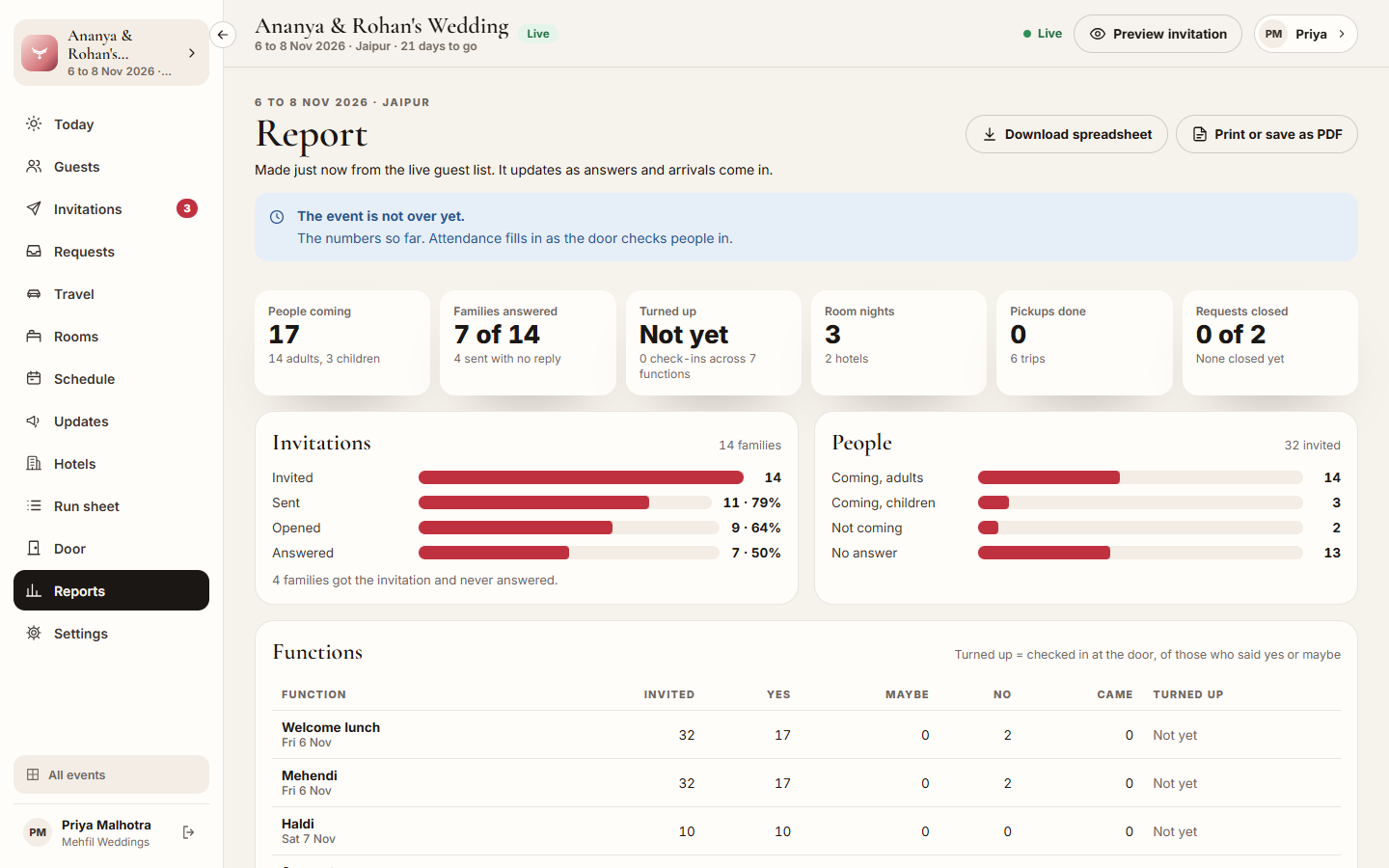
At the top: People coming, Families answered, Turned up, Room nights, Pickups done and Requests closed. Below them:
- Invitations: invited, sent, opened and answered.
- People: coming adults and children, not coming, no answer.
- Functions: for each function, invited, Yes, Maybe, No, how many Came, and Turned up (checked in at the door, of those who said yes or maybe).
- Food: vegetarian, non-vegetarian, Jain and vegan, with the guests’ notes.
- Travel: arrivals, departures, picked up, delays and trips.
- Rooms: for each hotel, families and room nights, who pays, and each block’s rooms held, booked and released, with the rate.
- Requests: done, declined, still open, how quickly they usually close, and by kind.
- Updates: updates sent and WhatsApp messages.
Who can use it
Section titled “Who can use it”Lead planner, Hospitality desk and Viewer. Transport and Vendor coordinator do not see Reports.
Where to find it
Section titled “Where to find it”Reports in the event’s sidebar.
How to read the report
Section titled “How to read the report”- Open Reports.
- Read the figures at the top, then each section. Until the event ends, a note says The event is not over yet.: attendance fills in as the door checks people in.
How to print or keep the report
Section titled “How to print or keep the report”- Click Print or save as PDF and choose your printer, or save it as a PDF.
- Or click Download spreadsheet for the functions, rooms and requests as a spreadsheet.
Tips & good to know
Section titled “Tips & good to know”- Turned up reads Not yet until someone is checked in at the door for that function.
- The spreadsheet carries the functions, rooms and requests. For everything on the page, print or save as PDF.
- A block’s Released rooms are those that went back to the hotel at the cut-off.
Troubleshooting
Section titled “Troubleshooting”- Turned up stays at Not yet → Nobody has been checked in at the Door for that function.
- “Could not load the report.” → Check your connection and click Try again.