Site report
What it does
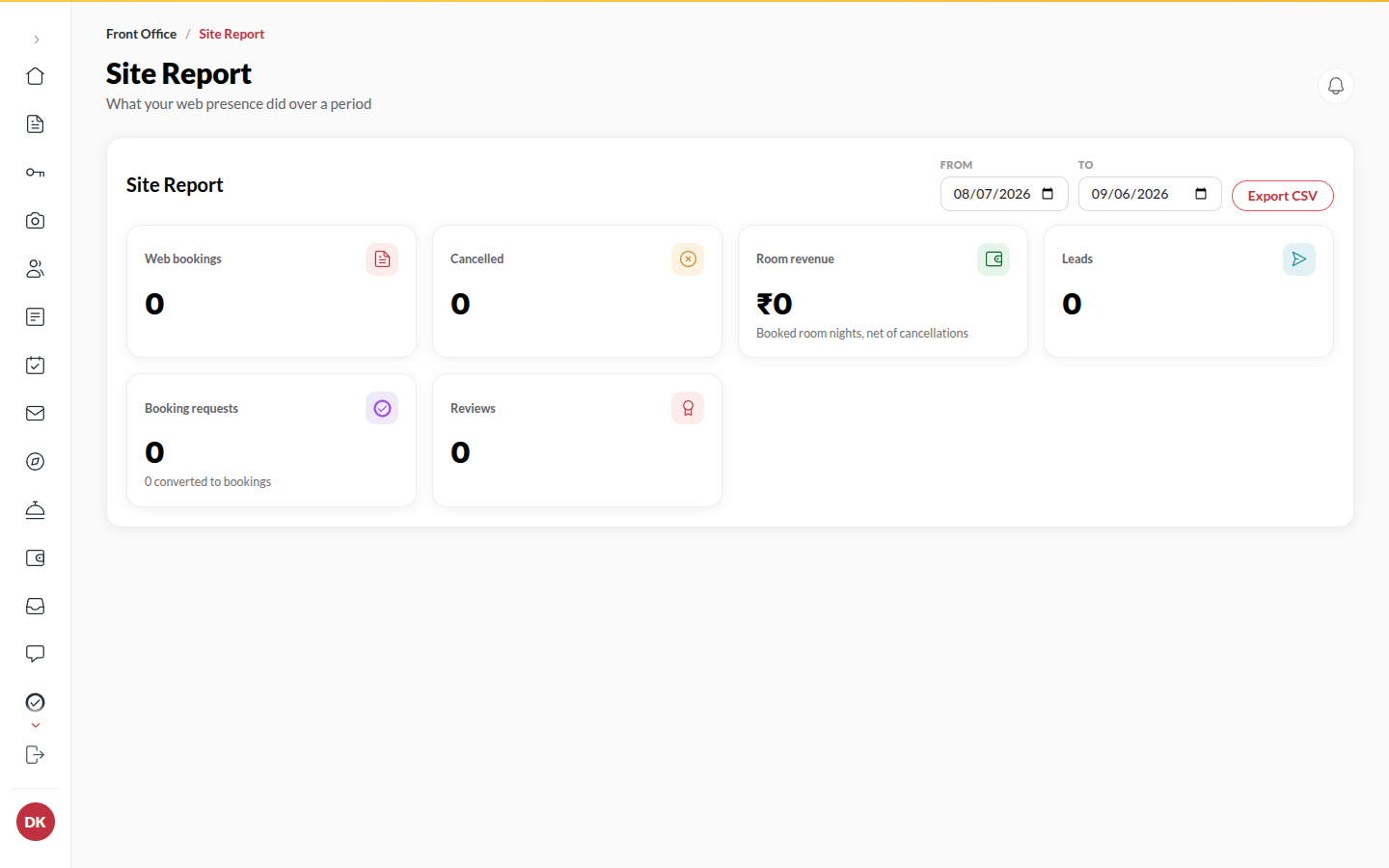
Section titled “What it does”The Site Report totals what your hotel’s site and its marketplace card produced over a date range: Web bookings, Booking requests and how many Requests converted, Leads, Reviews, Cancelled, and Room revenue from web bookings.
Who can use it
Section titled “Who can use it”Managers and above, when the Marketplace listing module is on.
Where to find it
Section titled “Where to find it”Back office → Site report.
How to read a period
Section titled “How to read a period”- Open Site report.
- Pick Last 30 days or Last 90 days, or set From and To.
- Read the numbers. The six numbers, and what each counts explains each one.
- Click Export CSV to download them. Room revenue is room charges on web bookings (before tax), not the payout.
Tips & good to know
Section titled “Tips & good to know”- Compare with Payouts for what Upstay actually collected and owes.
- A request counts as converted the moment you accept it.
Troubleshooting
Section titled “Troubleshooting”- “This feature is not turned on for your hotel.” → The Marketplace listing module is off; contact Upstay.