Commercial settings
What it does
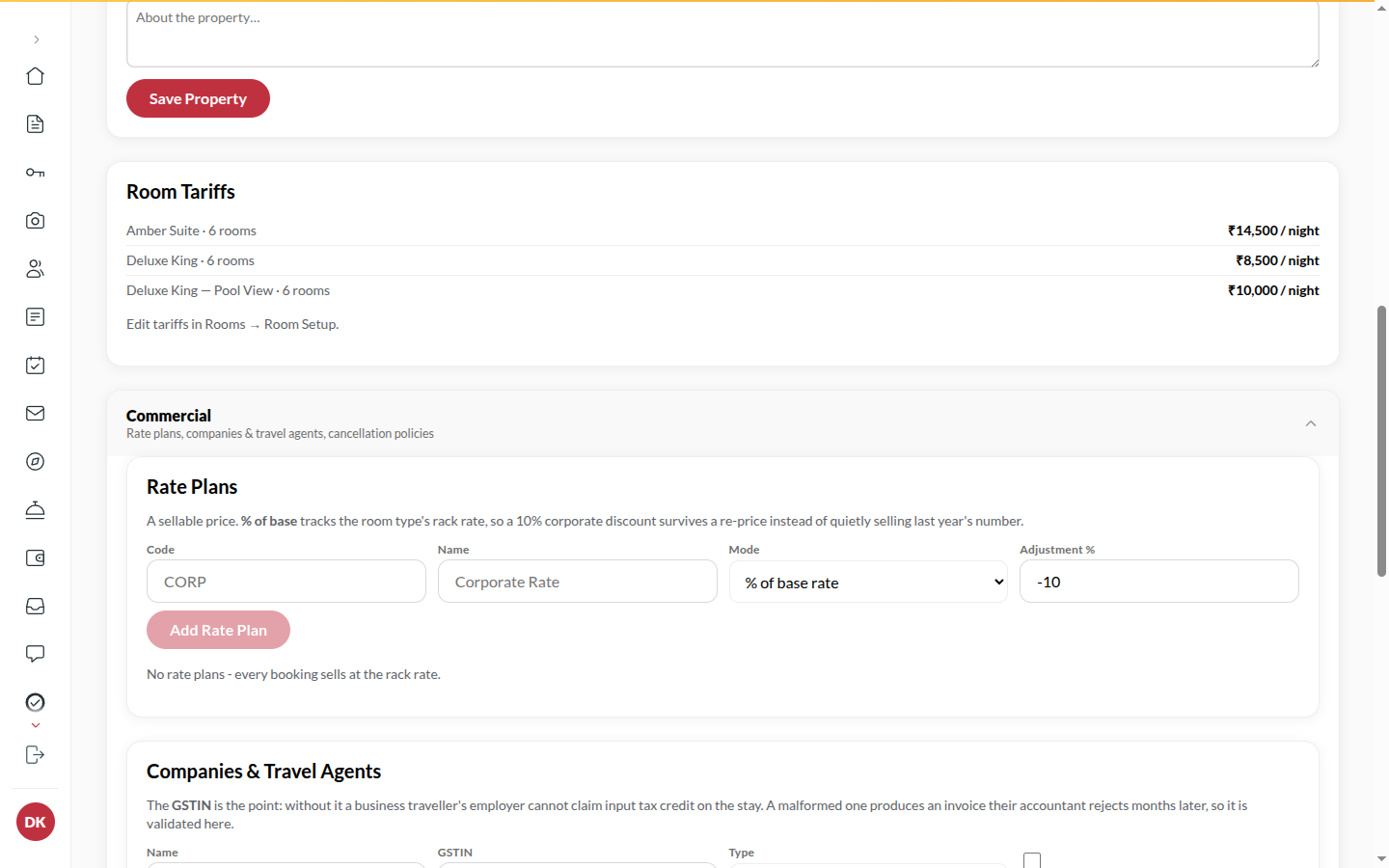
Section titled “What it does”Commercial settings describe how you sell beyond the rack rate. Rate plans are named prices (Corporate, Long Stay) set as a percentage of the base rate or a flat price per night. Companies and travel agents are the accounts a stay can be billed to; a direct-bill account is invoiced later and the guest does not settle. Cancellation policies set how long before arrival a booking can be cancelled free.
Who can use it
Section titled “Who can use it”Admins.
Where to find it
Section titled “Where to find it”Back office → Property → under Commercial: Rate plans, Companies and travel agents and Cancellation policies.
How to add a rate plan
Section titled “How to add a rate plan”- Open Rate plans.
- Enter a Code (e.g. CORP) and a Name (e.g. Corporate Rate).
- Pick the Mode: % of base rate (enter the Adjustment %, e.g. -10) or Flat ₹ per night (enter the Rate ₹).
- Click Add rate plan. The desk can pick the plan when taking a booking.
How to retire a rate plan
Section titled “How to retire a rate plan”- Click Retire on the plan.
- Pick a reason: Replaced by a new plan, No longer offered, Created by mistake or Other.
- Click Retire plan. Bookings already sold at this plan keep it. It stops being offered and cannot be switched back on here.
How to add a company or travel agent
Section titled “How to add a company or travel agent”- Open Companies and travel agents.
- Enter the Name and GSTIN, and pick the Type: Company or Travel Agent.
- Tick Direct bill (invoice later, guest does not settle) if the account pays by invoice.
- Click Add account. Pick it as Company or agent when taking a booking. An account with no GSTIN shows No GSTIN.
How to add a cancellation policy
Section titled “How to add a cancellation policy”- Open Cancellation policies.
- Enter a Name (e.g. 24h Flexible) and Free until (hours before arrival). The hours are counted back from your check-in time on the arrival date (the Check-in time in the hotel profile); if none is set, 12:00 pm is used. 0 means never free (non-refundable).
- Tick Default for new bookings if bookings should use it unless another is chosen.
- Click Add policy.
Tips & good to know
Section titled “Tips & good to know”- A cancellation fee is charged from the policy on the booking, not the policy as it reads today.
- Company invoices are raised at checkout when the stay is billed to the company; see Finance.
- These lists act at once; there is no separate save.
Troubleshooting
Section titled “Troubleshooting”- A booking will not route to the company → The booking must name the company, and the company must be set to direct bill.