Tour of the console
The rail
Section titled “The rail”The rail on the left holds the seven places the desk works from. It shows only what your hotel has and your role allows. Collapse it to icons with the arrow at the top; the console remembers your choice. On a phone the rail becomes a bar along the bottom of the screen.
| Rail item | What it is for | Who sees it |
|---|---|---|
| Today | Your dashboard: what the day needs from you, quick actions, money today and the shift handover. | Everyone |
| Rooms | Every room and its state, floor by floor, and the Week calendar. | Front Desk and above |
| Bookings | Every booking: search, filter, open a guest file, take a new booking. | Front Desk and above |
| Inbox | Guests, Requests, Questions, Enquiries, Concierge and Alerts in one place. | Front Desk and above |
| Housekeeping | Cleaning and repair cards, room by room. | Front Desk and above |
| Services | The kitchen board, today’s menu and the dining menu. | Front Desk and above |
| Back office | Everything outside the desk’s day, grouped as Money, Guests, Property, People and Records. | Front Desk and above |
Housekeeping and Concierge staff see one item only, Dashboard, with their own queue.
Managers and Admins see a longer rail in groups (Run the day, Grow, People, Money, Close the day) instead of these seven: Today, Decisions, Arrivals & stays, Rooms, Housekeeping, Inbox, Guest care and Kitchen, then Revenue & rates, Authority and Employees, then the Money area (Finance home, Night audit, Reports, Payments, Receivables, Tax and accounts), then Money & audit and Reports & log, with Back office last. The front desk’s rail ends with a Money group too: My shift and Reports. Only what your hotel has switched on shows.
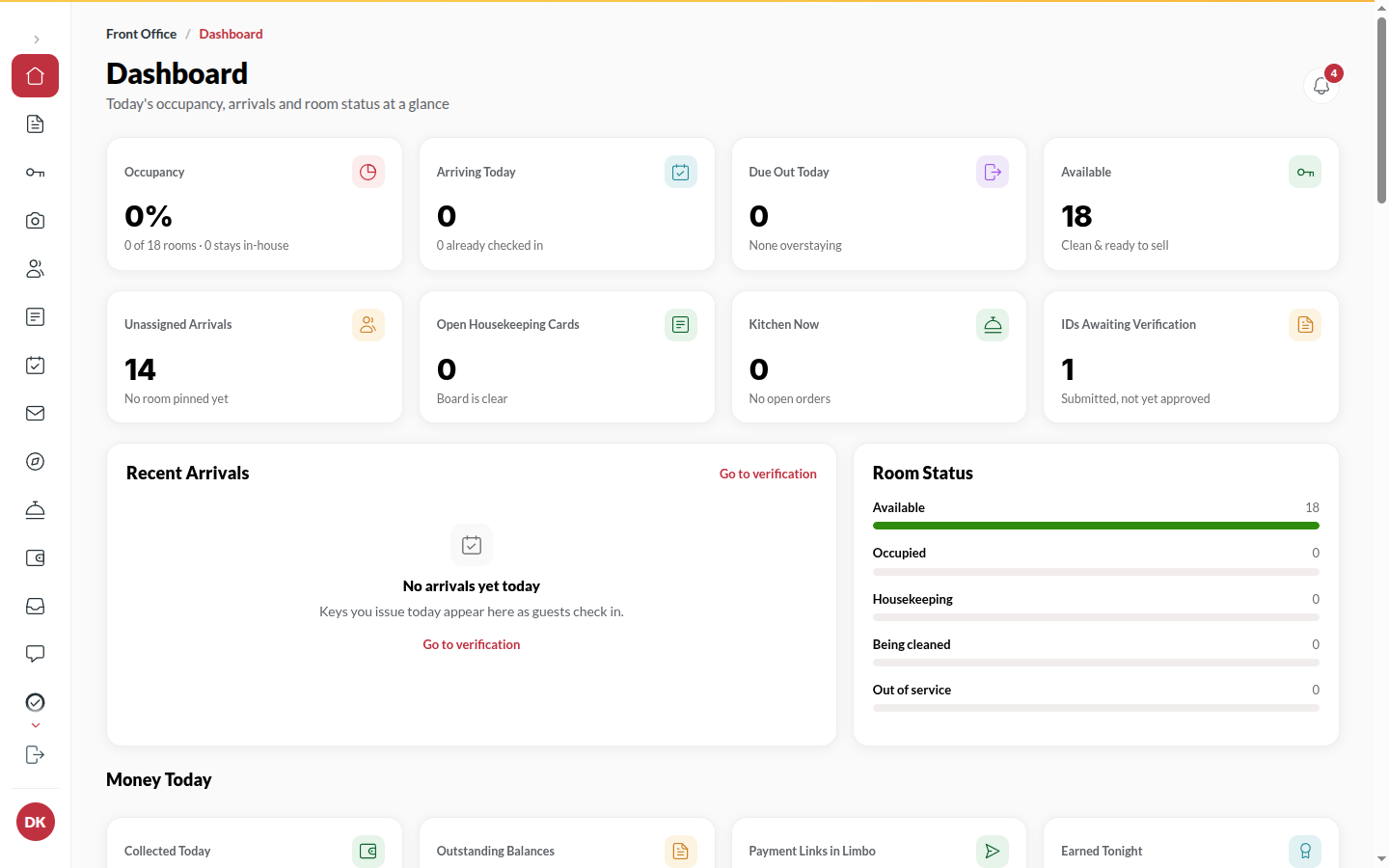
The top bar
Section titled “The top bar”- The date, the hotel’s check-in and checkout times, and the clock.
- Find a guest, a room or a booking… (or press ⌘K / Ctrl+K) opens a search over guests, rooms, booking codes and actions.
- Walk-in starts a booking for a guest standing at the desk.
- The bell shows your notifications.
Back office
Section titled “Back office”Back office lists every module your role may open, each with one line on what it is for. Rows marked Manager and above or Admin only say who can open them. Type in Find a screen to filter the list.
The guest file
Section titled “The guest file”Wherever a stay appears (Today, Rooms, Bookings, Inbox), clicking it opens the same guest file on the right: Overview, Bill, ID, Messages and Activity. You never leave the page you were on.
The bell
Section titled “The bell”The bell collects notifications for your role: new bookings, orders, guest requests, payments, channel bookings and compliance reminders. Click one to jump to it. Clear all empties the list; Undo brings it back for a few seconds.
Live updates
Section titled “Live updates”Everything on screen updates by itself when something changes: a booking taken at another desk, a guest submitting their ID, an order plated. You never need to refresh. If the connection drops, Reconnecting, live updates paused shows in the top bar and the page catches up when it returns.