Booking a stay
What it does
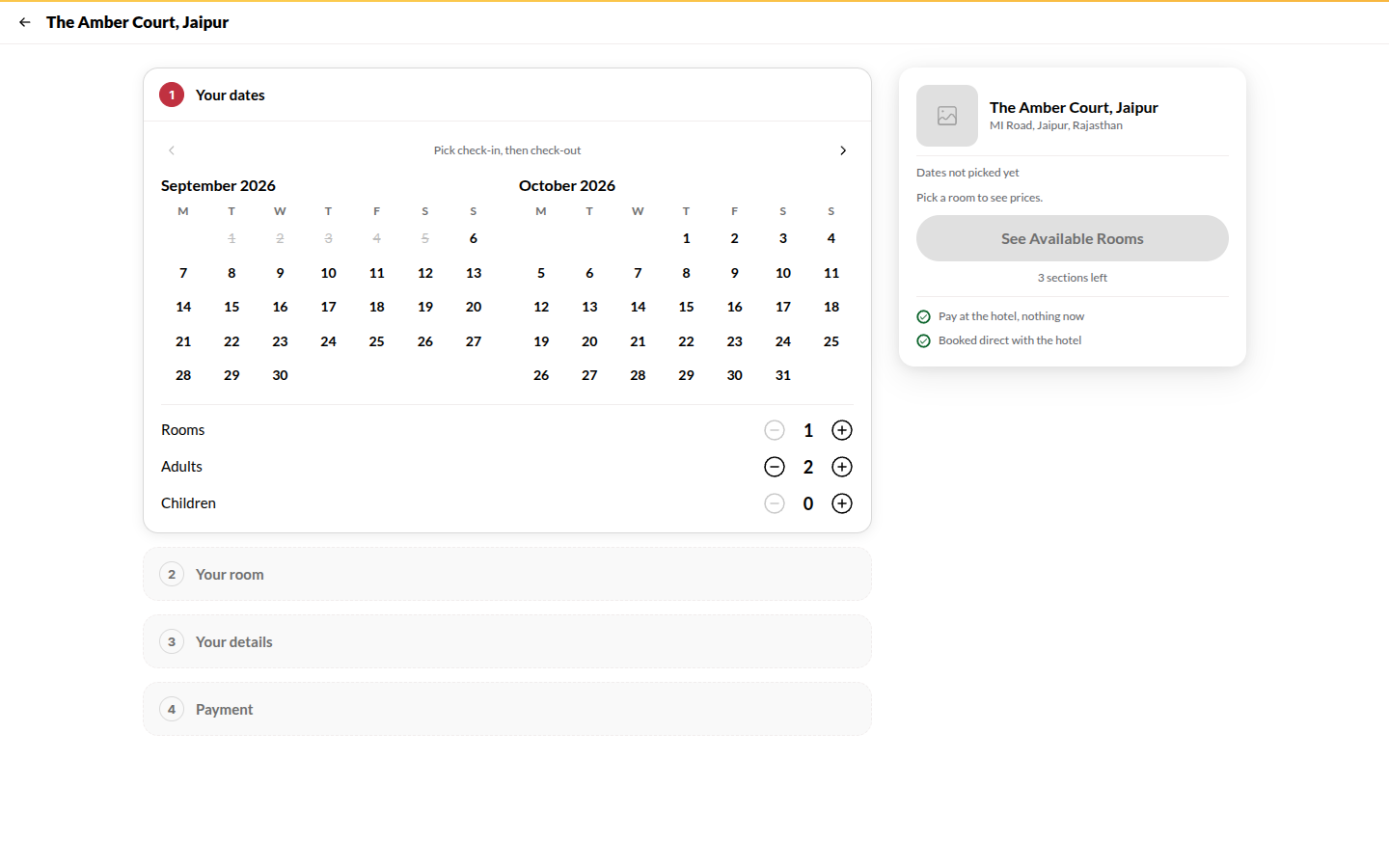
Section titled “What it does”Booking happens in a panel on the hotel’s site, in three steps: Dates, Room, Confirm. The room is always yours to choose - the panel lists what is free for your dates and never picks for you. Confirm takes your details and then payment, with whichever of the hotel’s modes apply: Pay in full, Pay part now (an advance), Reserve now, pay at hotel, or Request to book (the hotel confirms first). A coupon code or your Upstay credit can be applied before you pay.
Who can use it
Section titled “Who can use it”Anyone. You confirm your mobile number with a code during the booking; that creates or signs into your Upstay account so the booking is in Your Stays.
Where to find it
Section titled “Where to find it”Book now at the top of a hotel’s site, See available rooms in the booking bar, or Book this room under a room.
How to book
Section titled “How to book”- Dates: tap check-in, then check-out, and set adults and children. Tap See available rooms.
- Room: every room type is listed with its price for your whole stay (GST included) and a status - Available, Only N left, Sold out on these dates or too small. Tap Select; if the room offers more than one rate plan, pick one and tap Continue.
- Confirm - your details: Full name, Mobile and Email (optional), and Anything we should know? (optional). Tap Get code, enter the code (use Resend code if it does not arrive) and tap Verify. Tick GST invoice for business and add the company details if you need one. Choose one of the hotel’s offers under Offer (tap it again to take it off), then tap Continue to Payment.
- Confirm - payment: choose a mode:
- Pay in full / Pay part now → tap Pay ₹… · Confirm Booking; pay on the payment page (UPI, card, net banking). The price summary shows a Payment handling charge line, which covers the payment provider’s fee, before you pay. Your booking is created only when the payment completes: if you close the payment page without paying, nothing is booked and no message is sent.
- Reserve now, pay at hotel → tap Confirm Booking; confirmed at once.
- Request to book → tap Send Request; the hotel accepts or declines and you are told in your account.
- The confirmation page opens (see below). A confirmation also reaches you by WhatsApp, SMS and email.
Your confirmation page
Section titled “Your confirmation page”The page that opens after you book (and from Your Stays) is headed by the hotel’s own name, with Powered by upstay on the right.
- The status: a pill above the heading reads CONFIRMED, PAID or ADVANCE PAID once the booking stands. The heading says “You’re going to city, your first name.” and the line under it gives your booking code.
- A countdown in days, hours, minutes and seconds runs to check-in, and a small confetti burst plays once the first time you see a confirmed booking. Tap Celebrate again to replay it. With reduced motion switched on in your device, there is no confetti and no swinging key.
- The room key: a brass tag with the hotel, room, dates, your name and booking code. Tap it (or press Enter) and it turns over to show your QR pass: “Show this at the front desk.” The desk scans it to open your booking; it is a desk pass, not a door key.
- What happens next: Booked, Check in online, Show your pass, Your stay, Check out. Tap Complete web check-in to add your ID, a selfie and a signature before you arrive; each guest gets their own link.
- Your stay, Getting there (Directions, Add to calendar: a file your calendar app opens - and WhatsApp the hotel) and If plans change.
Three other states look different on purpose:
- AWAITING PAYMENT: the heading says “Almost there”, a bar moves while the bank confirms, and “Your room is held for” shows a countdown. Leave the page open: it updates itself and turns into the confirmed page, with no key to turn and no confetti until the money lands.
- PENDING OWNER: after Send Request: “Request sent”. The key carries a PENDING stamp, the card shows Quoted total and Request expires, and nothing is charged until the hotel accepts.
- CANCELLED: the key carries a CANCELLED stamp and Book again takes you back to the hotel’s page.
How to cancel
Section titled “How to cancel”- On the confirmation page, in If plans change, tap Cancel this booking. The button asks you to confirm: tap Tap again to cancel within four seconds (otherwise it goes back, so a stray tap never cancels). Or open the stay under Your Stays in your account and tap Cancel booking.
- The card first tells you whether it is free (“Free until …”) or “A fee of about ₹… applies”. “Free until” is counted back from the hotel’s check-in time on your arrival date. The refund follows the hotel’s cancellation policy shown at booking; prepaid amounts are refunded to the original method.
Tips & good to know
Section titled “Tips & good to know”- While you are on the payment page the room is held for you for 15 minutes. If you do not pay in that time the hold is released and no booking exists. Tapping Pay twice does not create two bookings.
- A coupon reduces the room price (and its tax); Upstay credit pays part of the final amount.
- Change on the summary line in the panel takes you back a step without losing what you entered.
- Minimum-stay dates say so on the room’s status before you pick.
Troubleshooting
Section titled “Troubleshooting”- “That code is incorrect or has expired.” → Tap Resend OTP and enter the new one.
- “Every room is taken on these dates.” → Move your stay by a day, or ask the desk on WhatsApp.
- “This booking can no longer be cancelled online.” → The stay has started or the policy window has passed; contact the hotel.
- No online payment option shown → The hotel only offers pay-at-hotel and request modes.