Finance
What it does
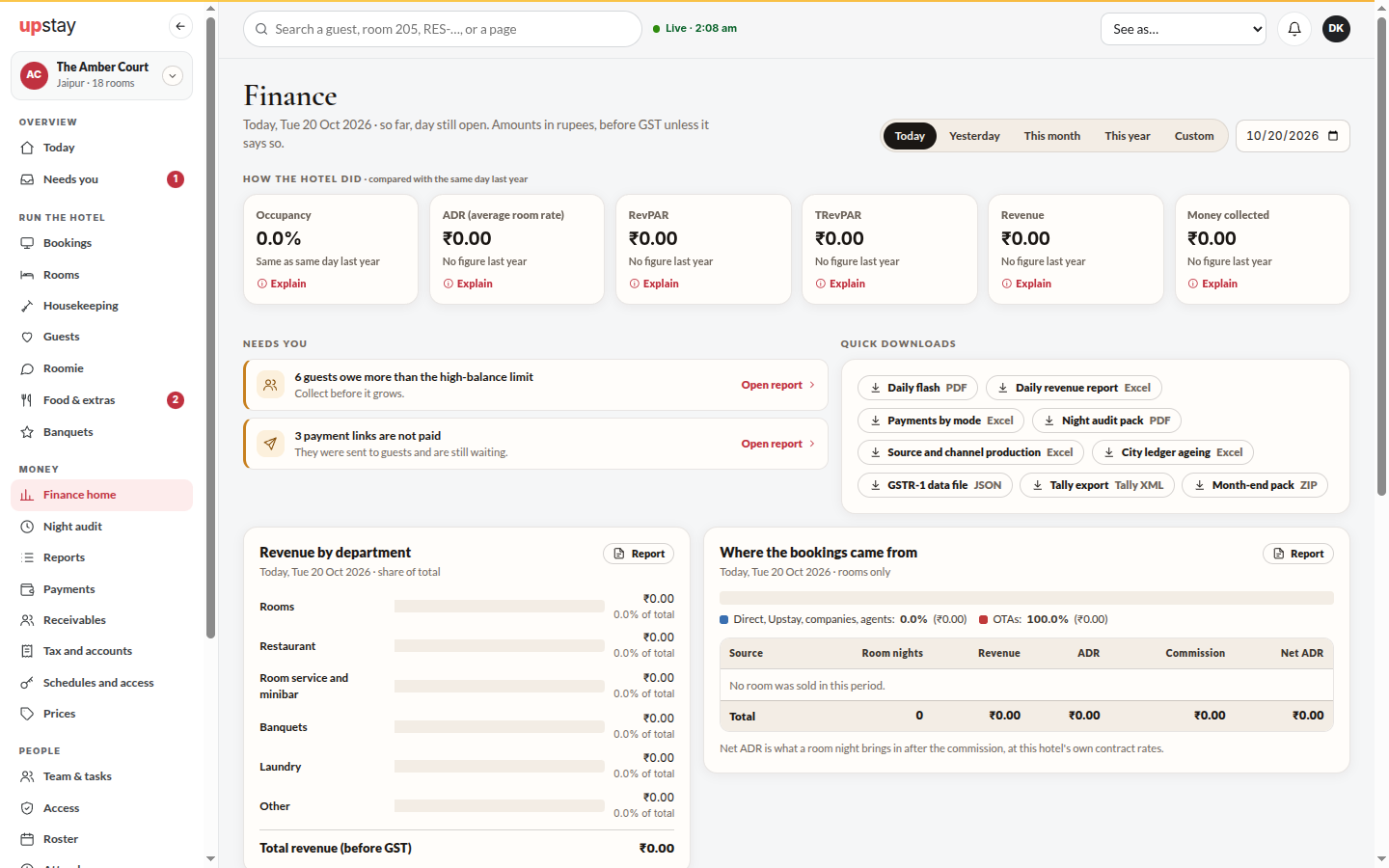
Section titled “What it does”Finance is the hotel’s money in one place, under Money in the sidebar. Every bill line and payment posts to the books as it happens. New to hotel finance? Start with How Upstay counts your money. Each section has its own page:
- Finance home: how the hotel did against last year, what needs you, where the money is right now.
- Night audit: closes the hotel’s day, step by step.
- Reports: every finance report, on screen and as a download.
- Payments: every rupee that came in today, and the payment links still waiting.
- Receivables: who owes the hotel, how old it is, and money held for future stays.
- Tax and accounts: GST, TCS and TDS for a month, the books, credit notes, OTA payouts, budgets and tax settings.
- Schedules and access (owner): which reports go out by themselves, and who may see each one.
The front desk has two: My shift and Reports.
Who can use it
Section titled “Who can use it”| Section | Owner | Accountant | Manager | Front desk |
|---|---|---|---|---|
| Finance home | Yes | Yes | Yes | No |
| Night audit | Runs it | Follows it | Runs it | No |
| Reports | All | The ones allowed | The ones allowed | The ones allowed |
| Payments | Yes | Yes | Yes | No |
| Receivables | Yes | Yes | Yes, without sending statements | No |
| Tax and accounts | Yes | Yes | Yes, without the profit and loss | No |
| Schedules and access | Yes | No | No | No |
| My shift | No | No | No | Yes |
Commission and what each OTA keeps are shown to the owner and the accountant only.
Where to find it
Section titled “Where to find it”In the sidebar, under Money. The accountant’s sidebar is the Money group alone, and their Finance home is their Today.
How to look at the books
Section titled “How to look at the books”- Open Tax and accounts and click Accounts. Each account shows its balance; search with Search accounts.
- Click Day book to list every entry. Pick Today, Last 7 days, This month or All, a source, or search Entry, memo or booking.
- Click an entry to see its Debit and Credit lines. A reversed entry shows Reversed; its reversal shows Reversal.
How to reverse a journal entry (owner)
Section titled “How to reverse a journal entry (owner)”- Open an entry in Tax and accounts → Day book.
- Click Reverse this entry, pick a reason such as Posted to the wrong account, Wrong amount or Duplicate entry, and click Reverse. A new entry swaps every debit and credit; the original stays in the book.
- Entries posted from a bill or a payment are corrected on the bill, not here.
Tips & good to know
Section titled “Tips & good to know”- Every finance word on these pages (ADR, RevPAR, occupancy, GST, TDS, float and more) has a small i beside it. Point at it, or tap it on a phone, to read what it means and how it is worked out.
- A closed day cannot be edited. A mistake in it is corrected by a dated reversal; a late payment lands on the next open day.
- Advance deposits are nights booked and paid for but not slept yet. The night audit moves them into rooms revenue one night at a time.
- A link to the old single Finance page still works: it opens the section that now holds what it showed.
- GST bands and tax labels live under Back office → Property → Tax (GST).
Troubleshooting
Section titled “Troubleshooting”- “Only an Admin can reverse a manual entry.” → Ask the owner.
- “Invoice not found” → The number belongs to another hotel or was never issued.
- A section is missing from your sidebar → Your role does not have it (see the table above), or your hotel does not have the module.