Close the day
What it does
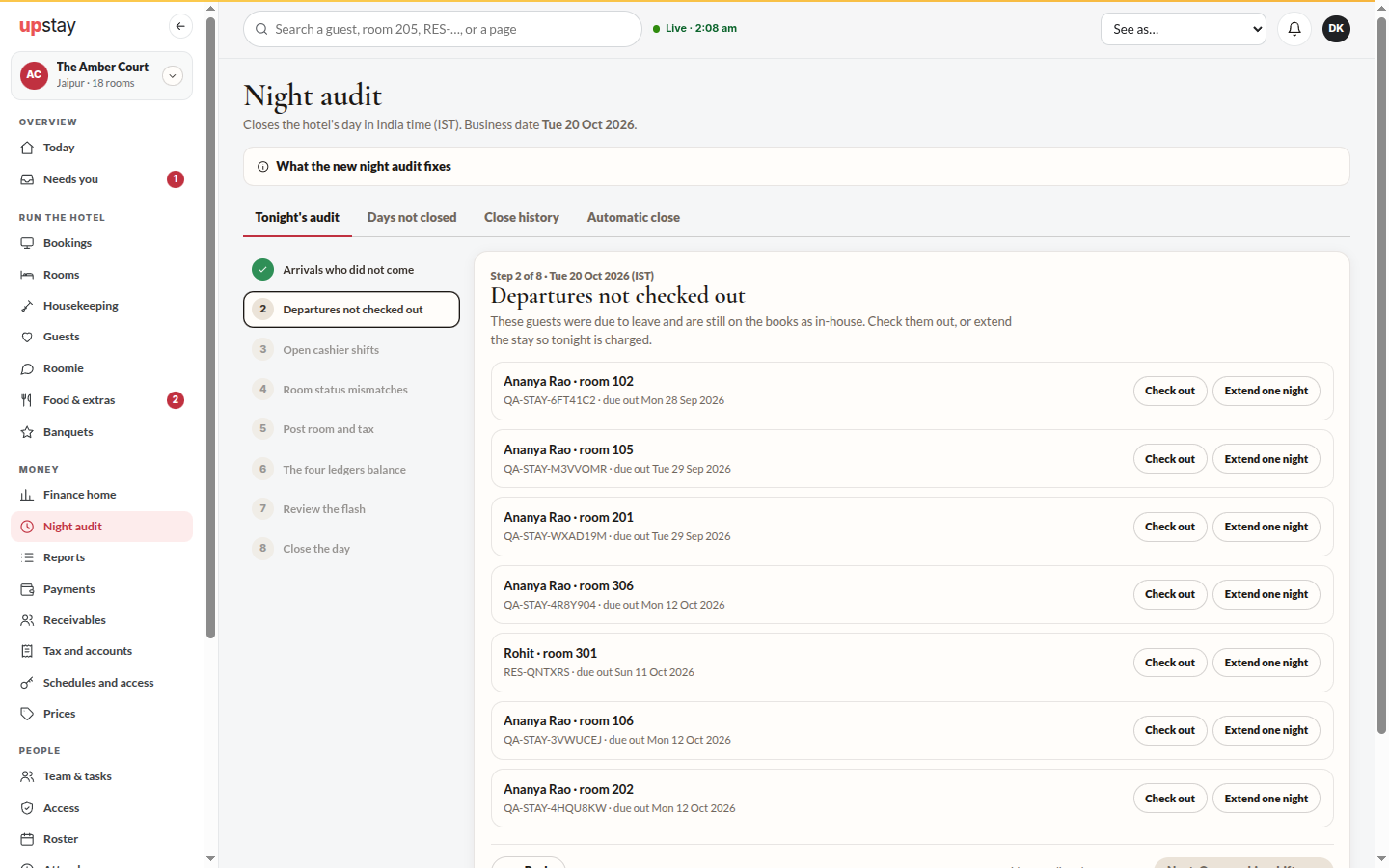
Section titled “What it does”Night audit closes the hotel’s day in India time. Tonight’s audit walks you through eight steps in the order the work is done: arrivals who did not come, departures not checked out, open cashier shifts, room status mismatches, posting room and tax, the four ledgers balancing, a review of the day, and closing it. You can only go on once every line of a step is decided. Days not closed lists older days still open, Close history shows every day and who closed it, and Automatic close lets the day close by itself when every check is green.
Who can use it
Section titled “Who can use it”Managers and the owner run the audit. The accountant can follow it, see the close history and download each day’s pack. Only the owner changes Automatic close.
Where to find it
Section titled “Where to find it”Sidebar → Money → Night audit.
How to close the day
Section titled “How to close the day”- Open Night audit. Tonight’s audit opens on the first step that still has work. The steps are listed on the left; a done step shows a tick, and a step you have not reached yet cannot be opened.
- Arrivals who did not come: for each guest, click No-show, keep the charge (or No-show, no charge when the booking is not guaranteed) or Keep for late arrival.
- Departures not checked out: click Check out or Extend one night for each guest past their checkout.
- Open cashier shifts: enter Cash counted (₹) (or click Counted, matches), add a note if it does not match, and click Close shift.
- Room status mismatches: choose The desk is right or Housekeeping is right. For a room due back from out of order, choose Back in service from tomorrow or Keep out of order.
- Post room and tax: read the list of tonight’s nights and click Post … nights. A guest who leaves today is never charged for tonight.
- The four ledgers balance: check that each ledger says Ties.
- Review the flash: read the day’s numbers, add the Auditor’s notes (go into the pack) and click The flash looks right.
- Close the day: read the checks and click Close with the date. Click Next: … at the bottom of each step to go on; it stays off until the step is done.
How to close an older day
Section titled “How to close an older day”- Open Night audit → Days not closed. Each day shows its revenue, money collected and rooms sold.
- Click Close this day. That day’s own steps open below; finish them and close it. Close the oldest day first.
How to download a closed day’s pack
Section titled “How to download a closed day’s pack”- Open Night audit → Close history.
- Click Pack on the day. It downloads the night audit pack as a PDF.
How to have the day close by itself (owner)
Section titled “How to have the day close by itself (owner)”- Open Night audit → Automatic close.
- Switch on Close the day automatically at … if every check is green, pick the Time, and under Alert pick who is told when a check is not green.
Tips & good to know
Section titled “Tips & good to know”- Posting is safe to repeat: a night is never charged twice.
- After room and tax are posted, the arrival and departure decisions for that night are locked.
- A day closed after 5 AM the next morning is recorded as a late close.
- A kept no-show charge is counted as other revenue (no-show charges), not as a room sold, so occupancy and the average rate stay honest.
- Arrivals not decided by the automatic close are kept for a late arrival, never marked no-show.
- What the new night audit fixes, at the top of the page, lists what changed from the old audit.
Troubleshooting
Section titled “Troubleshooting”- “Decide every line above to go on.” → One line in the step still has no choice.
- “It is ₹… off. Write what happened in the note.” → The drawer does not match; say why before closing the shift.
- “Enter the cash you counted.” → Type the counted cash first.
- “Room and tax are posted, so these decisions are locked.” → Change the stay from the booking itself.
- “This day is already closed.” → Nothing to do. Corrections to a closed day go in as a dated correction.
- “You can follow the audit.” → A manager or the owner decides each line and closes the day.